Make an animated sticker of your cat or dog
Turn a short video of your pet into a transparent animated sticker. The AI cuts out your cat, dog or rabbit automatically, fur and all — free, in your browser.
Pets make the best stickers. Film a few seconds of your cat, dog, rabbit or hamster doing something funny, and GifNoBg turns it into a transparent animated sticker you can send in WhatsApp, Discord or iMessage.
How to make it
- Open the video at gifnobg.com (Choose Video, or drag it onto the page).
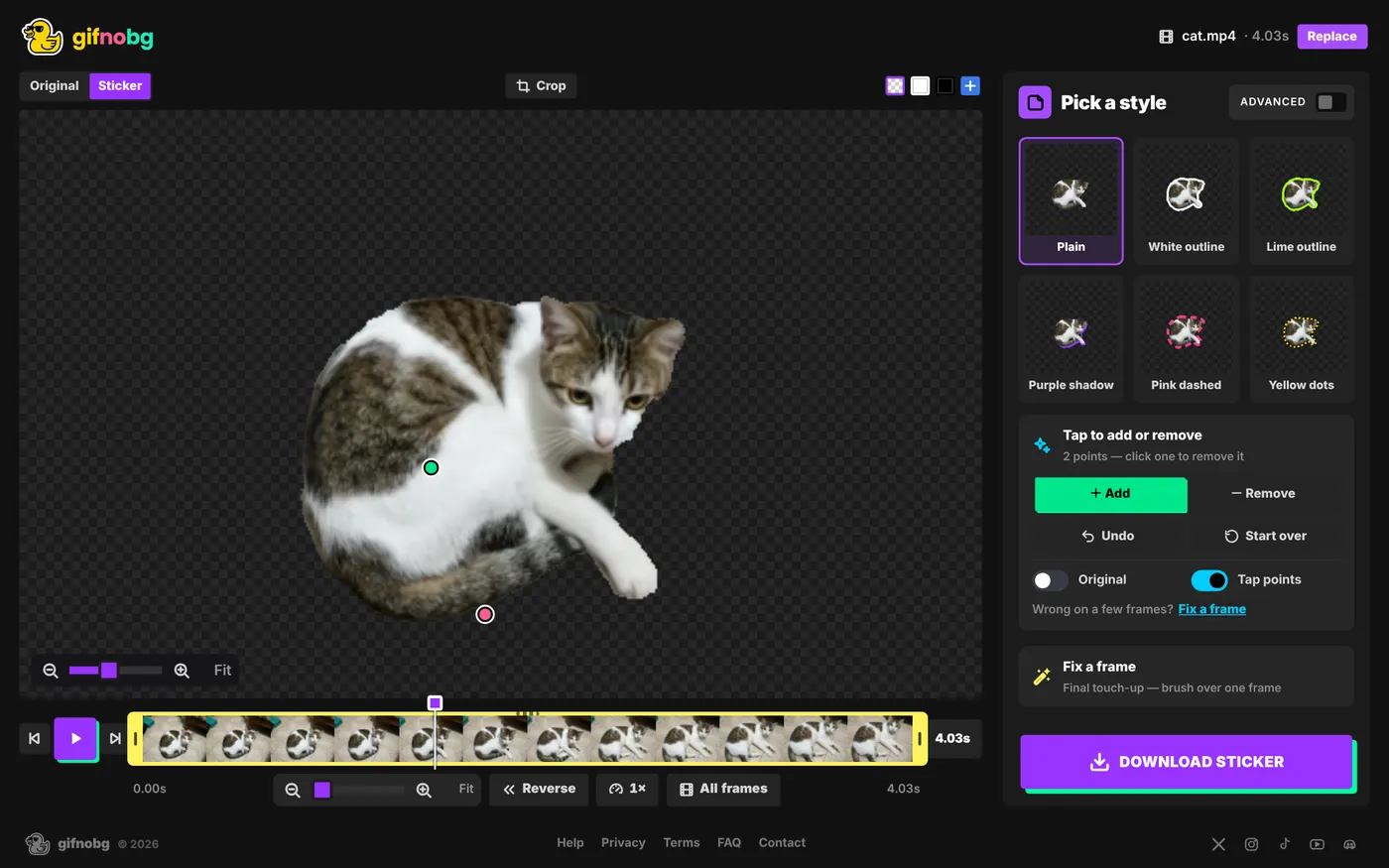
- The AI finds your pet and removes the background from every frame. Furry edges are handled automatically.
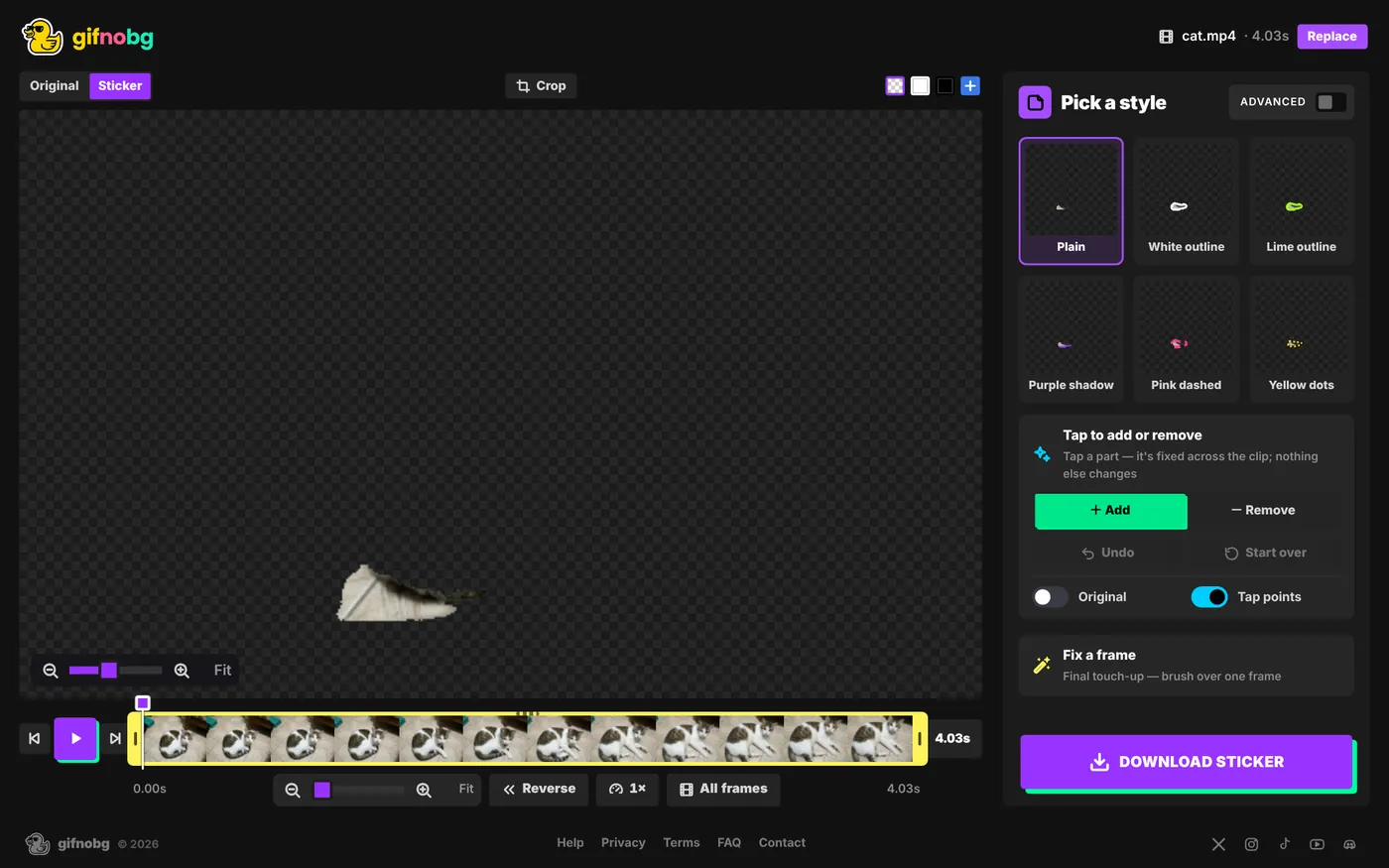
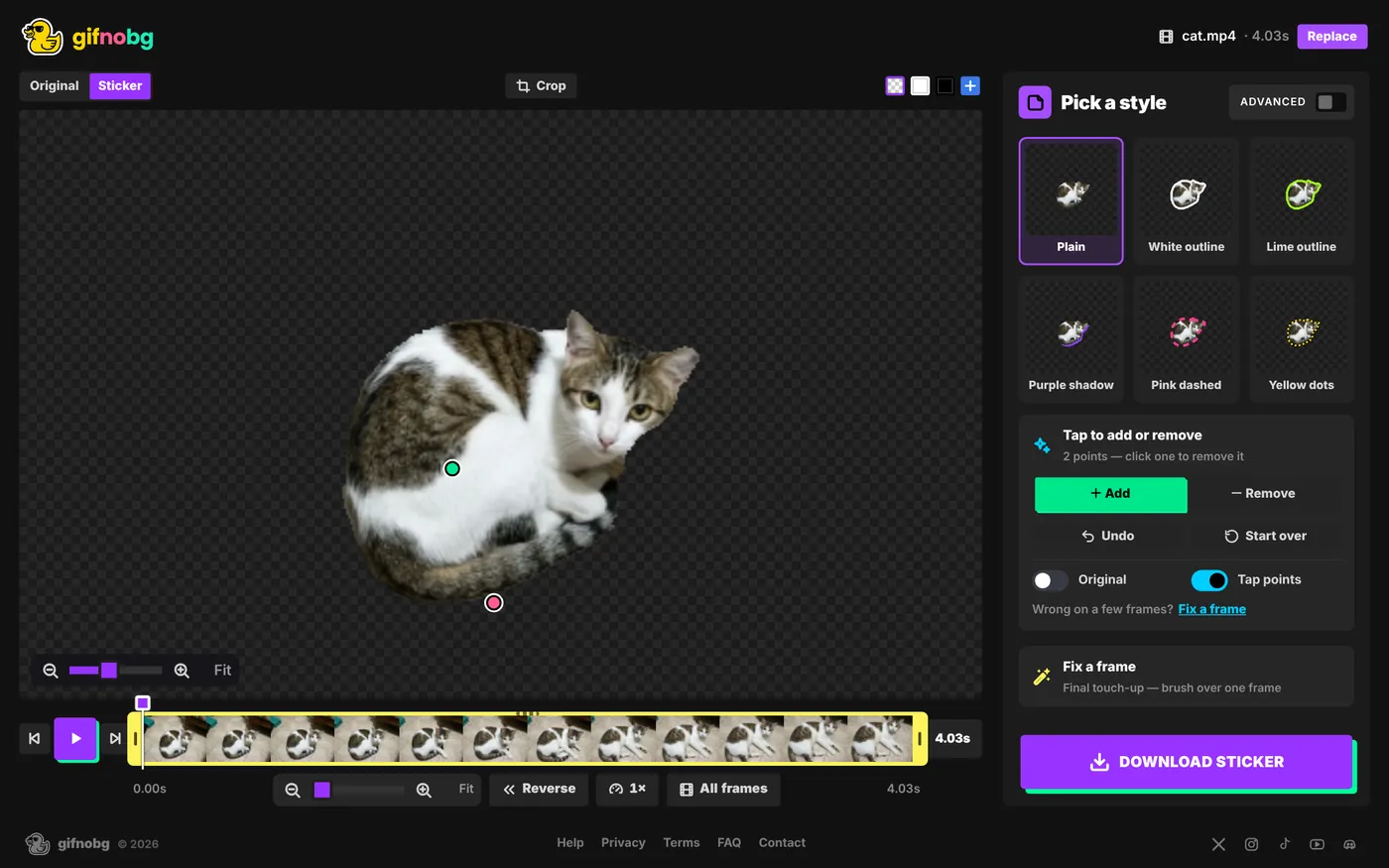
- Only part of your pet kept? Curled-up pets are hard for the AI. Choose Add and tap the missing part once — the fix carries through the whole clip.
- Trim to the best 2–4 seconds — a head tilt, a yawn, a zoomie.
- Add a White outline for the classic sticker look, then Download sticker.
Tips for great pet stickers
- Film at your pet's eye level, with the whole animal in the frame.
- Contrast helps: a white cat on a dark sofa cuts out more cleanly than a white cat on a white rug.
- Something extra cut in? A toy or a blanket stuck to your pet? Choose Remove and tap it — see Tap to add or remove.
- Want the toy too? Choose Add and tap it.
- For fluffy fur, switch on Advanced and make sure Hair & fine detail is ticked.
Then send it as a WhatsApp sticker or a Discord emoji.

Try it with your own videoFree, no sign-up, no watermark — and your video never leaves your device.
Make a sticker